




02 · from the workshop
Buy BitBox02: A Bitcoin-only hardware wallet for Bitcoin-only people
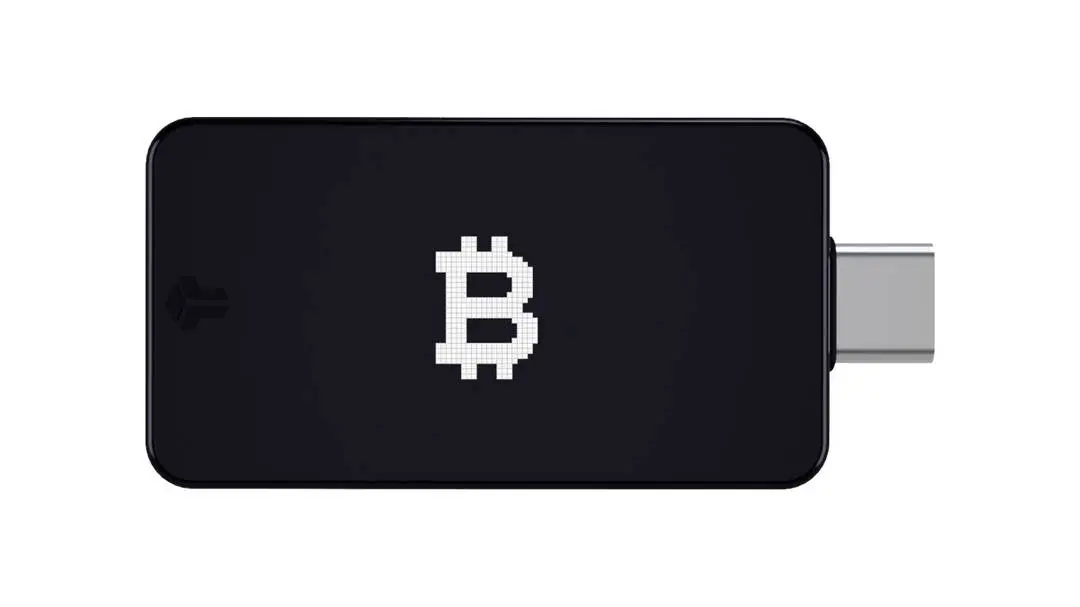
If you truly want to protect your Bitcoin, store the keys outside an exchange and outside a phone app. A hardware wallet keeps your private key offline, in a small device built solely for this purpose. The BitBox02 Bitcoin-only edition is one of the sleekest examples of this: Swiss-made, fully open-source, and with firmware that exclusively supports Bitcoin. No altcoin noise, smaller attack surface, simpler code to audit.
Buying a BitBox02 also means choosing a manufacturer (Shift Crypto, based in Zurich) that is transparent about its production and code. All hardware schematics and firmware are publicly available on GitHub. The community is watching, and that's exactly what you want for a device that holds your bitcoin.
What's in the box?
- BitBox02 Bitcoin-only edition hardware wallet
- USB-C cable (extension cord included)
- MicroSD card to create an encrypted backup
- Stickers to mark your backup card
- Quick start guide
Why a Bitcoin-only edition and not a Multi-edition?
Shift Crypto offers two versions: the BitBox02 Multi (which supports other assets besides Bitcoin) and this Bitcoin-only edition. The difference lies in the firmware. The Bitcoin-only firmware literally contains less code, fewer dependencies, and fewer potential vulnerabilities. For those who are stacking only Bitcoin, that's the logical choice: minimalism as security.
At BitcoinStuffStore, we consciously offer only the Bitcoin-only edition. It suits who we are, and it suits how we think about self-custody.
Setup in four steps
- Connect. Connect the BitBox02 to your computer or Android phone using the included USB-C cable.
- Install BitBoxApp. Download the app bitbox.swiss/app (Windows, macOS, Linux, Android, and iOS).
- Create wallet and backup. The app guides you through setting up a new wallet. Your backup is encrypted and stored on the included microSD card, plus optionally as a 24-word seed phrase on paper.
- First shots received. Send a small amount, check if it arrives, and you're live. After that, you can safely transfer larger amounts.
Who is the BitBox02 suitable for?
For beginners who have just bought their first Sats and want to withdraw them from an exchange. The BitBoxApp guides you step-by-step through the setup, and the touch controls are more intuitive than the buttons on many other wallets.
For experienced Bitcoiners who want a second device for a multisig setup, or who want to replace their Trezor or Ledger with something that exclusively supports Bitcoin. The BitBox02 supports PSBT, multisig via Sparrow Wallet and Specter, and Tor connection via the BitBoxApp.

Reviews
There are no reviews yet.