Guide | Hardware Wallets | 12 min read
Buying a Coldcard: Mk4 vs. Mk5 vs. Q
July 2026By Mario
September 2026 Update: We no longer sell the Coldcard.
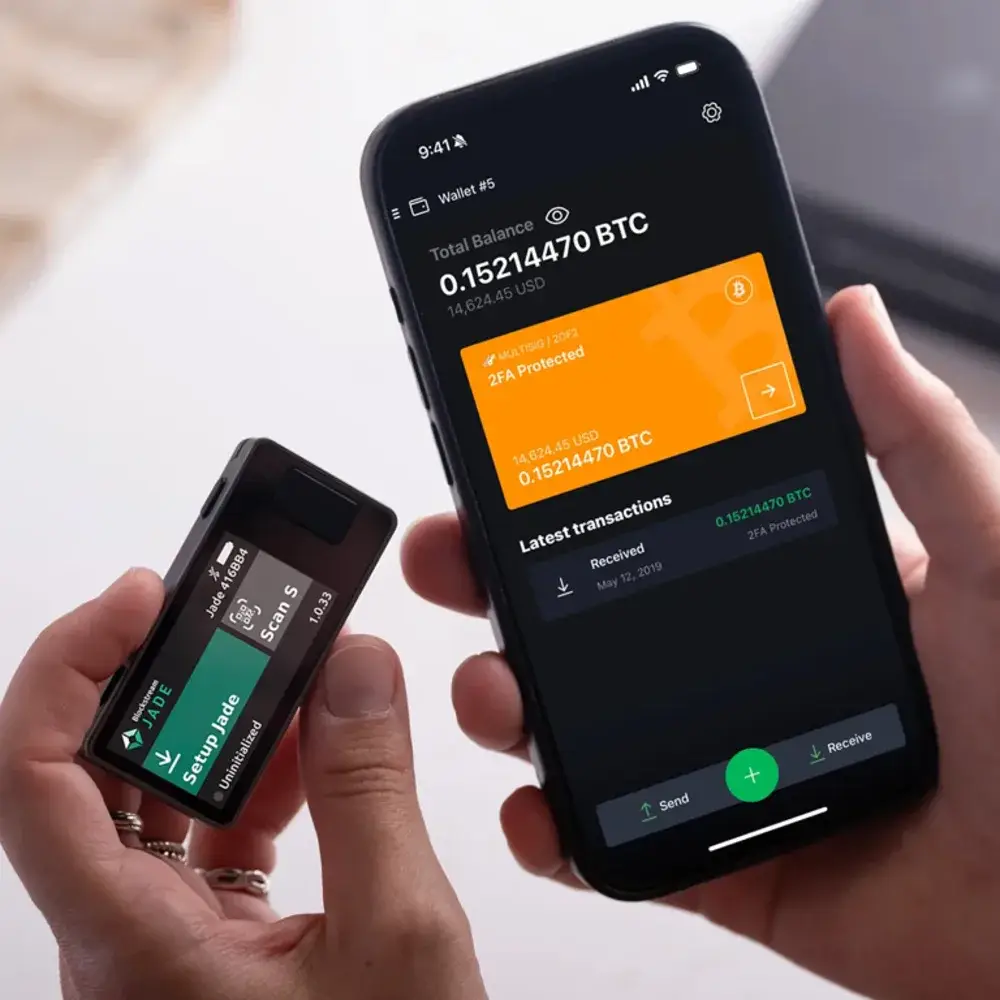
This guide will remain online for anyone who already owns a Coldcard Mk4, Mk5, or Q. If you're looking for a new hardware wallet, check out the three models we currently carry: the Blockstream Jade Plus (open source, air-gapped via QR, 219 euro) Trezor Safe 7 (touchscreen, two secure elements, 249 euro) and the Foundation Passport Prime (air-gapped via QR, plus FIDO keys and safe, 359 euros). The choice per profile is in best bitcoin hardware wallet 2026.
Are you thinking of buying a Coldcard but can’t decide between the Mk4, Mk5, and Q? That makes sense. On paper, they seem like they’re all part of the same family. In practice, you’re buying three different kinds of peace of mind. One stands out mainly because it keeps things simple. Another because it goes just a step further. And the Q is for people who want more control over the device itself.
So, when buying Coldcard, don’t start with the specs, start with your own use case. Don’t ask, “Which one is the most expensive?” Instead, ask, “Which wallet best suits the way you store, sign, and recover bitcoin?” That might sound less exciting, but it’ll save you a lot of hassle down the road.
Quick answer: For most people, the Coldcard Mk4 is still the no-frills entry-level model if you want as little hassle as possible at a lower price. The Coldcard Mk5 is the more logical choice if you want a compact model but would rather go straight for the latest Mk series. The Coldcard Q is the choice for those who want a larger screen, a full keyboard, QR workflows, and the ability to perform more tasks directly on the device itself.
Those who first want to explore more broadly are best starting with Compare bitcoin and hardware wallet or the guide Buy hardware wallet in the Netherlands. This page is shorter. The focus here is on buying a Coldcard with as little noise as possible.
What is a Coldcard, and who is it intended for?
A Coldcard is a bitcoin-only hardware wallet from Coinkite. That last part matters. No crypto catch-all. No hundred networks in a menu you’ll never use anyway. Just a device focused on securely storing bitcoin keys and signing transactions in a controlled manner.
That’s what makes the Coldcard line particularly appealing to people who take self-sufficiency seriously. It’s not just for maximalists with a “bunker mentality.” It’s also for down-to-earth buyers who think: I want a device that doesn’t try to be everything to everyone. Less noise, more focus.
To be honest, the downside is also clear. A Coldcard feels less polished than some wallets that are designed with convenience as a top priority. That’s not a flaw. It’s a choice. If you’re mainly looking for a plug-and-play solution and aren’t interested in air gaps, PSBTs, or a more technical framework, then another wallet might make more sense. But if you do want control, you’ll quickly find what you’re looking for here.
What is the difference between the Coldcard Mk4, Mk5, and Q?
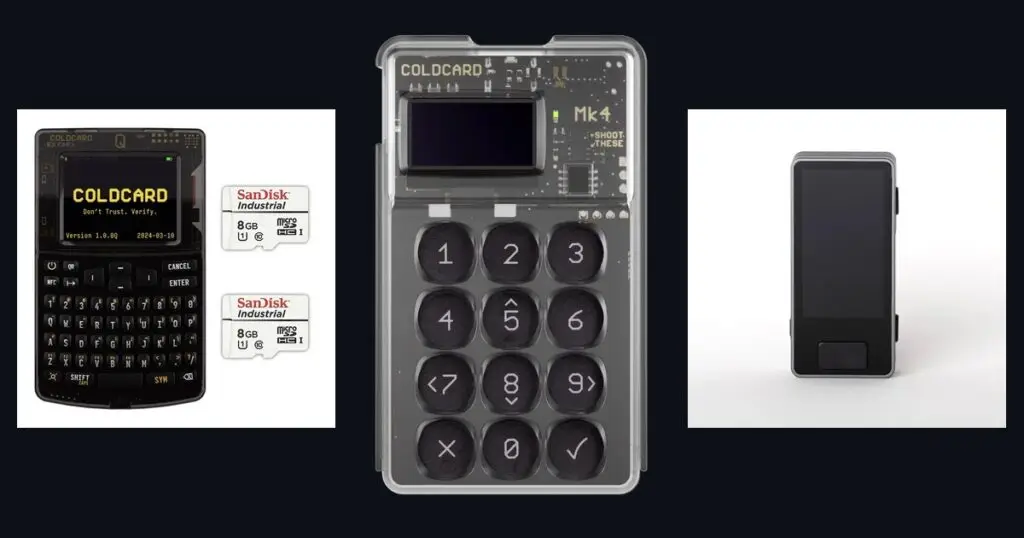
The bottom line is simple. The Mk4 is the most affordable way to get into the Coldcard world. The Mk5 carries that compact concept over to the latest generation. The Q is a different beast altogether. It’s bigger, more feature-rich, and clearly built for people who want to do more with the device itself.
The three models share a few key features. All three are bitcoin-only. They support microSD workflows for air-gap signing. They have USB-C. And they fit into a setup where you’d rather not blindly rely on a laptop to handle everything for you.
So the difference does not lie in the question of whether they are serious enough. All three of them are. The difference lies in how you work with them.
The Mk4 is the model for someone who considers discipline more important than luxury. You get a small screen, a numeric keypad, NFC, and microSD for air-gapped transactions. That is enough for secure storage and signing. No more, no less.
The Mk5 takes that same idea and takes it a step further. It’s still compact. It still focuses on microSD and a physical keypad. But it’s the latest in the Mk line, with improvements to the security architecture and a backlit numeric keypad. For many buyers, that’s exactly the sweet spot: not as large or feature-rich as the Q, but the most up-to-date compact Coldcard.
The Q immediately feels different. Larger screen. Full keyboard. Built-in camera for QR codes. That makes operations on the device itself more pleasant, especially if you frequently work with passphrases, QR workflows, or a setup where you want to do less via the computer. You pay for that, too. Not just in euros, but also in size.
Technical specifications: Mk4, Mk5 and Q side by side
| Specification | Coldcard Mk4 | Coldcard Mk5 | Coldcard Q |
|---|---|---|---|
| **Price (BSS, 2026-07-01)** | €139.99 | 179.99 euros | 269.99 euro |
| Secure elements | Dual SE (SE1+SE2) | Triple SE (SE1+SE2+SE3) | Dual SE (SE1+SE2) |
| Input | Numeric keypad | Numeric keypad (backlit) | Full QWERTY keyboard |
| Screen | OLED 128×64 | OLED (improved) | LCD 320x240 |
| QR scanner | No | No | Yes (built-in camera) |
| NFC | Yes | Yes (corrected) | Yes |
| USB-C | Yes | Yes | Yes |
| Air-gap method | MicroSD (primary) | MicroSD (primary) | QR codes (primary) |
| Multisig | Yes | Yes | Yes |
| Ideal for | Beginners, step in | Power users, maximum security | Full air-gap, QWERTY, multisig |
Source specifications: coldcard.com Official documentation. Prices as listed on BitcoinStuffStore as of July 1, 2026; no longer available from us as of September 2026.
Which Coldcard is best for beginners?
For beginners, the answer isn't usually the most expensive wallet. It's the wallet you'll still be using without any stress six months from now. That's why the best Coldcard for beginners is often the Mk4 or the Mk5, not the Q.
The Mk4 is the best choice if price is your top priority and you’re comfortable with a minimalist interface. You’ll be getting a serious bitcoin-only wallet without immediately having to pay top dollar. That’s often a very rational choice, especially if you still need to get used to concepts like seed phrases, microSD signing, and recovery tests.
The Mk5 is a good option for beginners if you already know you want to stick with the Coldcard setup and would rather buy the latest compact model right away. That way, you skip the intermediate step. Not because the Mk4 is outdated, but because you might end up looking at the newer compact model in a year anyway. For someone with a slightly larger budget, this is a solid choice.
The Q is not a bad choice for beginners. However, it is often too much device in the first month. You pay for the screen, keyboard, and QR comfort. That is great if you are actually going to use those features. It is a shame if you are mostly looking for a reliable first step and leaving half of the capabilities unused.
Is the Coldcard Mk5 the successor to the Mk4?
Yes, the Mk5 is the newer Mk line and also feels like it in positioning. That doesn't mean the Mk4 is suddenly a bad buy. It mainly means you now have two compact routes: save with the Mk4, or spend a bit more for the newer compact variant.
That’s where the real decision comes in. It’s not about which one is objectively better. It’s about whether you think the price difference is small enough to go straight for the latest compact Coldcard. For some buyers, the answer is an immediate yes, especially if they’re determined to make just one purchase.
For others, the Mk4 is still the smartest place to start. Especially if your stack is growing but you want to keep costs low on purpose. A hardware wallet doesn't have to impress. It just has to do what it's supposed to do. Nothing more.
When is the Coldcard Q the right choice?
The Coldcard Q makes sense as soon as you want to perform more actions on the device itself and don’t feel like squinting at a small screen. That larger screen and the keyboard aren’t just luxuries for the sake of luxury. They reduce friction in daily use, when entering passphrases, and in workflows where QR codes play a key role.
This makes the Q particularly appealing to three types of buyers. The first group wants a premium bitcoin-only hardware wallet and knows that the device’s comfort features will actually be put to use later on. The second group prefers to work in an air-gapped environment and wants to actively incorporate QR codes into their workflow. The third group is already a step further along and wants a device that feels less like a numeric keypad and more like a standalone signing tool.
What the Q is not automatically is the best choice for everyone. More features do not automatically mean more value. If you just want to store safely and occasionally sign, you might already have more than enough with an Mk4 or Mk5. Not everyone has to start at the top of the line.
Those who want to see the Q-series further in a practical context can then also proceed to the Coldcard Q User Guide. Then you can see more quickly whether that way of working suits you.
What is an air gap in a hardware wallet configuration, and how does it work in a Coldcard configuration?
Air-gap means that you can prepare and sign your transaction without using a direct, open data connection as the standard route. In plain English: you keep the sensitive part of the signing workflow more deliberately separated from the rest of your setup.
With the Coldcard line, this is mainly done via microSD. You create a PSBT in wallet software, transfer it to the card, have the Coldcard sign it, and then retrieve the signed transaction. The Q can also add QR workflows to this process using the camera. That’s exactly why some advanced buyers are gravitating toward the Q.
More importantly: air-gap is not a magic word that fixes every mistake. It is a method. A good method, often. But only if you understand it and use it consistently. So don't buy a Q just because QR sounds cool. Buy it if you actually intend to use that route.
Comparison table and buying guide
| Model | Indicative price BSS | What you get | For whom | Availability |
|---|---|---|---|---|
| Coldcard Mk4 | 139.99 euros | Compact model, small screen, numeric keypad, NFC, microSD air-gap | For those on a tight budget who want a high-quality first Coldcard | No longer available at BitcoinStuffStore |
| Coldcard Mk5 | 179.99 euro | Newest compact Mk-line, backlit keypad, microSD air-gap, USB-C | For those who want the latest compact Coldcard right away | No longer available at BitcoinStuffStore |
| Coldcard Q | 269.99 euros | Large screen, full keyboard, QR code camera, microSD air-gap | Those who want to do more on the device itself and consider QR workflows important | No longer available at BitcoinStuffStore |
Which model suits you?
Choose the Mk4 if you mainly want to buy a Coldcard without any extra bells and whistles and without jumping right into the high-end. That’s the down-to-earth approach. It’s not the most exciting answer, but it’s often the wisest.
Choose the Mk5 if you're looking for the same compact model but would rather go straight for the latest compact Coldcard. That's usually the best compromise. You'll spend a little more than you would on the Mk4, but you'll still be far below the price point of the Q.
Choose the Q if you consciously pay for usage on the device itself. Large screen. Keyboard. Camera. QR. That is not a marketing layer. For the right buyer, it simply reduces friction.
Anyone looking for alternatives in the same vein can also check out Jade Plus vs. Coldcard Q or just click through to all hardware wallets. Then you'll quickly see whether you really want to stick with Coldcard or if you're leaning toward a different type of workflow.
Practical buying route
The mistake many people make is getting bogged down in specs for too long. Fine to be careful. Less fine when carefulness turns into endless hesitation. You don't have to choose the perfect wallet here for every future. You need to choose the right wallet for how you store and sign right now.
If you just want a serious bitcoin-only wallet at a competitive entry price, go for the Coldcard Mk4. If you want the newest compact route right away, take the Coldcard Mk5. If you want a larger interface and QR workflows that land more on the device itself, get the Coldcard Q.
And if you want to take a step back first, that is fine too. Then are Buy hardware wallet in the Netherlands and Compare bitcoin and hardware wallet the logical next pages. First clarity, then click drive.
The bottom line is simple. Don’t buy the wallet that sounds the most serious online. Buy the wallet that you’ll actually use effectively. 1 bitcoin is still 1 bitcoin. Crypto is just noise.
Frequently asked questions
From the shop
Ready to get started?
Everything covered in this guide is in the shop.