
Flashing NerdQaxe Firmware via the Browser
Flash NerdQaxe firmware via this tool, without software installation. Works for NerdQaxe+ and NerdQaxe++, based on a fork of the Bitaxe Web Flasher by shufps.
NerdQaxe Web Flasher
This tool runs at shufps.github.io, not on our own site. It is heavy, so we only load it when you need it. The moment you press the button your browser connects to that site.
Works in Chrome, Edge or another Chromium browser.
Browsers Works only in Chrome, Edge, or another Chromium browser. Firefox and Safari are not supported by the Web Serial API.
Other firmware flashers on this site
- Bitaxe Firmware Flasher (for Gamma, Supra, Ultra, Max)
- NerdMiner Firmware Flasher (for the NerdMiner T-Display S3)
Not sure which flasher you need? Take a look. Complete overview of firmware flashers with comparison per device.
Step-by-step guide for flashing NerdQaxe firmware
- Connect your NerdQaxe directly to your computer via a USB data cable. No hub, no power-only cable.
- Click Connect in the flasher above.
- In the browser popup, select the correct serial port. It is usually named
CP2102 USB to UARTorCH340. - Choose your NerdQaxe model and desired firmware version. Default: the latest stable release.
- Click Flash. It takes 30 to 90 seconds, then the NerdQaxe restarts automatically.
What NerdQaxe models are supported?
- NerdQaxe+ (original version with four BM1366 chips)
- NerdQaxe++ (four BM1370 chips, higher hashrate)
- NerdOCTAXE+ and NerdOCTAXE-Gamma (8-chip variants based on NerdQaxe)
For a Bitaxe or NerdMiner, you use a different flasher. See the links under “Other firmware flashers.”.
FAQ and troubleshooting
I don't see a Connect button
You are using Firefox or Safari. The Web Serial API does not work there. Switch to Chrome or Edge.
No serial port in the popup
The USB driver is missing. NerdQaxe typically uses CP2102 (Silicon Labs) or CH340. Download the driver, restart your computer, and try again.
Connection failed or timed out
- USB cable is power-only, not a data cable. Try another one.
- The NerdQaxe is not powered by the power adapter.
- USB hub in use. Connect directly to your computer.
- The port is occupied by another program. Close that first.
Flashing fails halfway
Power issue or poor USB connection. Ensure the NerdQaxe stays connected to the power adapter and use a reliable cable. Reflashing is safe.
NerdQaxe won't start anymore after flashing
Flash again using this tool and choose a stable firmware version. A failed flash is almost always recoverable, as long as the hardware is intact.
Is this the same firmware as Bitaxe?
No. The NerdQaxe runs on a custom version of AxeOS, specifically for the multi-chip configuration. The flasher is a fork of the Bitaxe Web Flasher because the hardware has many similarities, but the firmware builds are different.
Which version do you choose?
By default, use the latest stable version from the list in the flasher. The NerdQaxe firmware receives regular updates with performance fixes and new features.
Can it be done via the web interface as well?
Yes, if you are already running NerdQaxe on your network, you can perform an OTA update via the web interface. You use this flasher for the initial installation, factory reset, or if OTA doesn't work.
Is this flasher safe?
Yes. The NerdQaxe Web Flasher is open-source, maintained by shufps at GitHub. The firmware comes directly from the official NerdQaxe repositories.

NerdQaxe firmware flashing works directly in the browser, without installation.
Need help flashing NerdQaxe firmware?
Ask your question via our Contact page. Don't have a NerdQaxe yet? Check out the NerdQaxe++ in our webshop.
Done flashing?
These miners ship from our own stock in the Netherlands, tested and delivered fast.

NerdQaxe++
€425,00
The next step after your NerdMiner: serious solo hashrate with the same open-source approach.
View product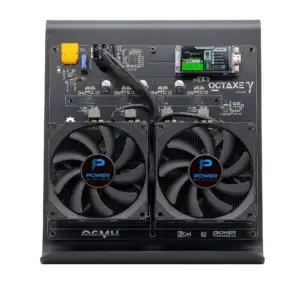
NerdOctaxe Gamma: the most powerful open-source bitcoin miner in the Nerd series
€699,00
The flagship of the Nerd series, for those who want the most out of solo mining.
View product